UNIT 1 · SLOT 1REDUNPLACED · camera online
Place the unit. Confirm the scene. Control traffic.
Choose a model and road scene, place the units, confirm the layout, then test the permitted signal or sign controls. The separate outside view shows the simulated road result. A local-link failure ends Automatic, holds every traffic side at RED and requires camera-count reconciliation plus explicit operator recovery before control can continue.
- 1ChooseModel and situation
- 2PlaceUnits and tablet sides
- 3ConfirmComplete scene layout
- 4OperateSignals, signs or cameras
 SignalShield Master LOCAL CONTROL
DEPLOYMENT
Place each unit
Choose the road, then drag a numbered case on the pavement or use a named position below.
Selected: Traffic lights out. The marker records where it is occurring; it does not grant traffic-release authority.CONFLICT AREAOne GREEN permit
ABCDDROP OR TAP ANYWHERE ON THE ROADSELECTED UNITUnit 1 · slots 1–4Needs placement
SLOT 1 IS
Placement requiredPlace every active physical unit on the selected road layout.
SIMULATED OUTSIDE VIEW
RED OBSERVEDResponder 4 · 4-way intersection
Traffic lights out · read-only client visualization · not part of the controller application
Simulation stopped. Place the unit, then use Manual or Automatic directly from the valid road layout.Mirrors controller state · no controls or configuration in this view
CONFLICT AREAOne GREEN permit
ABCD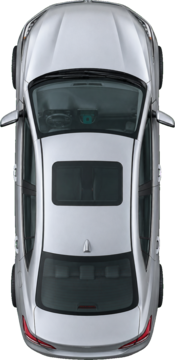
Vehicle may proceed Vehicle heldNumbered tablets remain attached to each placed unit.
UNIT 1 · SLOT 2REDUNPLACED · camera online
UNIT 1 · SLOT 3REDUNPLACED · camera online
UNIT 1 · SLOT 4REDUNPLACED · camera online
Simulation validation only. It illustrates the relationship between controller commands, tablet outputs and vehicle response; it does not verify physical road conditions.
Demonstration only. Selector and scene graphics use official SVG layouts from FHWA’s current Standard Highway Signs releases and are identified to MUTCD 11th Edition with Revision 1 sign references. The governing jurisdiction must approve the configured sign, display hardware, placement and operating plan before any public-road use.